Choir rehearsal seating diagrams
the mindfulness of cooking lunch instead of ordering in 2026-11-10 #programming
Peter Hilton
You don’t always want to end up down a rabbit hole, but sometimes you enjoy the journey.
The rehearsal seating problem
Choir rehearsals suffer from faffing about – disorganised time-wasting. In a choir rehearsal, this includes getting everyone to sit in the right place.
In general, singers sit in a semicircle, so the conductor stands the same distance from every singer. With more than 16–20 singers, depending on space, you may need two rows. Choirs also split into voice part groups: typically soprano, alto, tenor and bass (abbreviated SATB), for a four-part choir. For 5–8 part choral music, one or more groups splits into separate parts.
Twelve singers will easily follow a verbal instruction to form a semicircle in four part groups. But for next weekend, I’ve co-organised a workshop with 30 singers, in eight parts. To solve the rehearsal seating problem, I need a diagram.
Drawing text along a curve
I need a simple text diagram that shows the arrangement of the eight parts, so each part’s singers know where to sit:
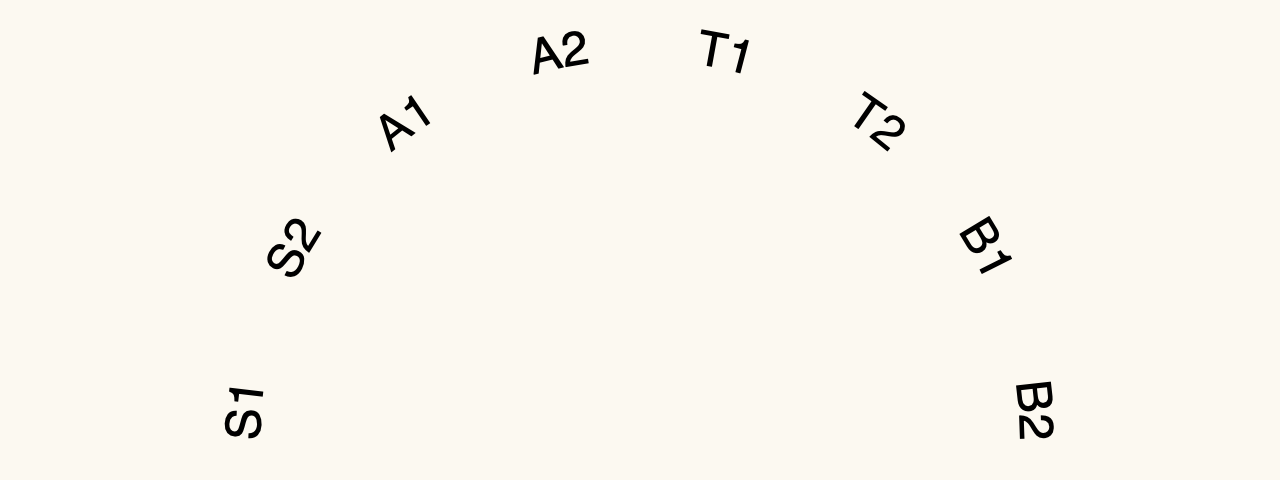
You can do this in SVG, which can render text along a curve.
First, draw a path that uses the a (arc) command to draw a semicircle:

<svg viewBox="0 0 640 240">
  <path d="M130,220  a 190 190 0  0 1  380,0" fill="#777"/>
</svg>
In the SVG path, the a (arc) has six parameters:
190 190 0– draw the arc of an ellipse with 190 x/y-radii (a circle), rotated 0 degrees0 1– flags to choose which section of the arc to draw (both the same for a semicircle), and the direction to draw in (above or below the horizontal in this case)380,0– relative coordinates from the start coordinates (bottom-left) to the end of the arc (bottom-right).
Next, make the arc transparent, and add a centre-aligned text path:
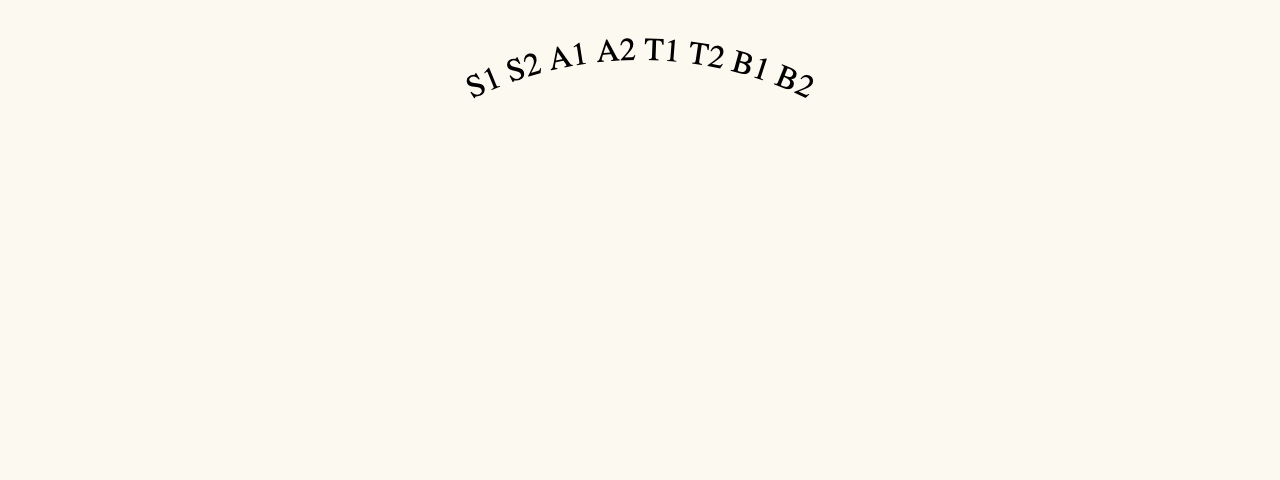
<svg viewBox="0 0 640 240">
  <path d="M130,220  a 190 190  0 0 1  380,0" fill="transparent" id="arc"/>
  <text text-anchor="middle">
    <textPath startOffset="50%" href="#arc">S1 S2 A1 A2 T1 T2 B1 B2</textPath>
  </text>
</svg>
This includes three new attributes:
text-anchor="middle"aligns the middle of the text to the text anchorstartOffset="50%"moves the text anchor halfway along the semicircle, from the left to the tophref="#arc"links thetextPathto thepath.
Next, fix text style and spacing.
Text spacing
In this diagram, CSS styles the text;
it sets font, font size, and word spacing to make the text fill the semicircle.
CSS also makes the path transparent, replacing the SVG fill attribute.
path { fill: transparent }
text { font: 24px sans-serif; word-spacing: 190%; }
<svg viewBox="0 0 640 240" class="seating">
  <path d="M130,220  a 190 190  0 0 1  380,0" id="arc"/>
  <text text-anchor="middle">
    <textPath startOffset="50%" href="#arc">S1 S2 A1 A2 T1 T2 B1 B2</textPath>
  </text>
</svg>
The following SVG rendering matches the above results in Safari 26.3.1:
Two rows
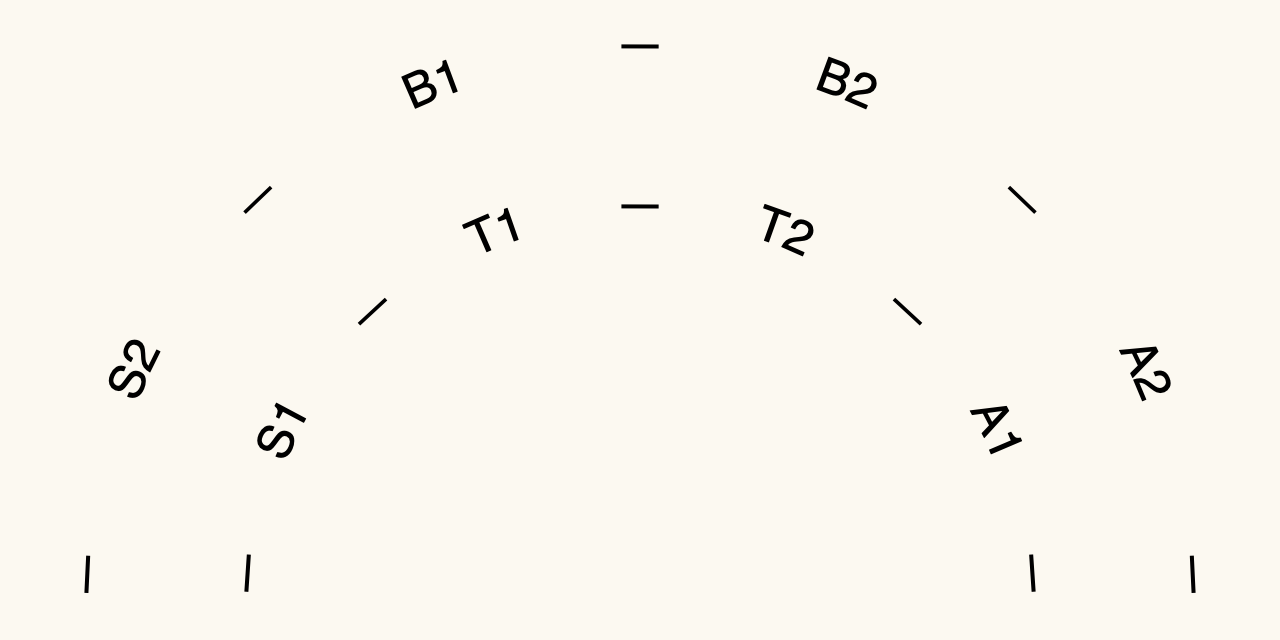
For the final version, I added a second arc for a second row of chairs, with extra dashes to highlight the semicircles:
path { fill: transparent }
text { font: 24px sans-serif }
#back-row { word-spacing: 290%;}
#front-row { word-spacing: 160%;}
<svg viewBox="0 0 640 320" class="seating">
  <path d="M050,300  a 270 270  0 0 1  540,0" id="back"/>
  <path d="M130,300  a 190 190  0 0 1  380,0" id="front"/>
  <text text-anchor="middle">
    <textPath startOffset="50%" href="#back" id="back-row">
      — S2 — B1 — B2 — A2 —</textPath>
    <textPath startOffset="50%" href="#front" id="front-row">
      — S1 — T1 — T2 — A1 —</textPath>
  </text>
</svg>
Annoyingly, I had to manually fiddle with the word-spacing values,
to fully-justify the text around each semicircle.
Declarative text-justificaftion would make it easier to diagram different seating arrangements for the workshop’s second day.
I don’t have to do any of this, of course, but that would miss the point.
Cooking lunch
During the working week, I like to take the time to cook lunch at home. I could order food delivery to save time, but then I wouldn’t get to explore variations in ingredients and techniques. More importantly, the mindfulness of this cooking means I take a proper break away from the computer.
I could have got my seating plan diagram quicker, if I didn’t code it by hand. Instead I did it the slow way. I knew that I would enjoy taking my time and spending some of my weekend exploring how SVG and CSS work.

